

With an email address
The classic route: email, password, date of birth, then identity verification.
Your customer creates an account once, proves their age once, and uses it everywhere: at the counter, at a vending machine, on a website. The app is free, available in several languages, and never shows their ID to the retailer.
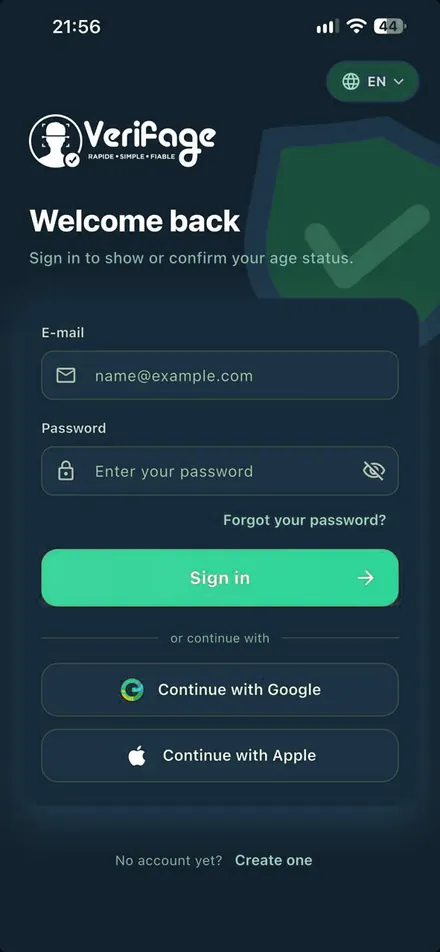
Each one reaches the same level of verification. The customer chooses whichever route is quickest for them.
The classic route: email, password, date of birth, then identity verification.
No password to remember; sign-in follows the customer’s phone.
One-tap sign-in on iPhone, with the option to hide their email address.
The customer signs up at your shop and you confirm their identity on the spot. They leave with an account they can use anywhere, and your shop remains their point of reference.
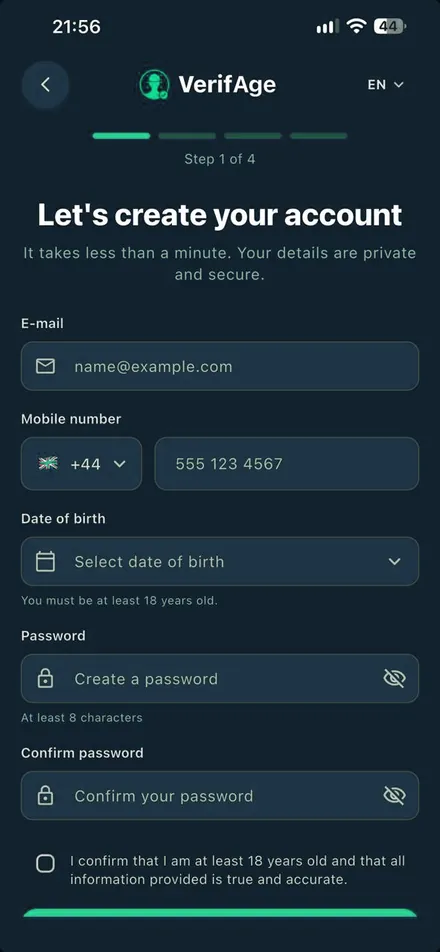
Sign-up is guided step by step. The progress bar always shows the customer where they are.
Email, mobile number, date of birth and password, with explicit confirmation that they are 18 or over.
A code received by SMS links the account to a real phone.
The customer proves their age just once. The document will never be shown to a retailer.
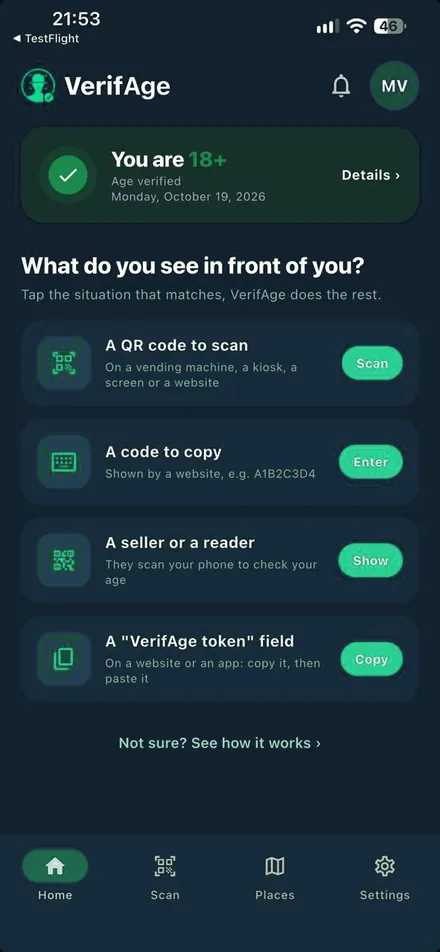
The account displays “You are 18+” and can be used immediately, everywhere.
The home screen asks a simple question: what’s in front of you? The customer chooses, and the app takes care of the rest.
At the top of the screen, the customer always sees their status and the date it was verified. The rest of the app exists to answer one question: what needs doing, right here, right now?
None of the four situations requires the customer to show a document to anyone.
Border areas, railway stations, airports, resorts: the app follows the language of the phone and the selector stays available on every screen, even before signing in. The merchant keeps the interface in their own language: only the verdict matters.
No name, no date of birth, no ID document, no photo. Whichever situation the customer chooses, the point of sale receives a binary answer and a timestamped record, nothing else.
Customers stay in control of their account: they can review their verifications, change language and request deletion of their data from the app.
Posters, install QR codes and a counter pitch come with your shop account.